Getting customers is just one part of growing a business. It’s equally important to get happy customers to share their experience. Google reviews can boost confidence before people select your business. The issue is that many customers are satisfied with your service but forget to leave a review.
This is where Google Review Cards step in.
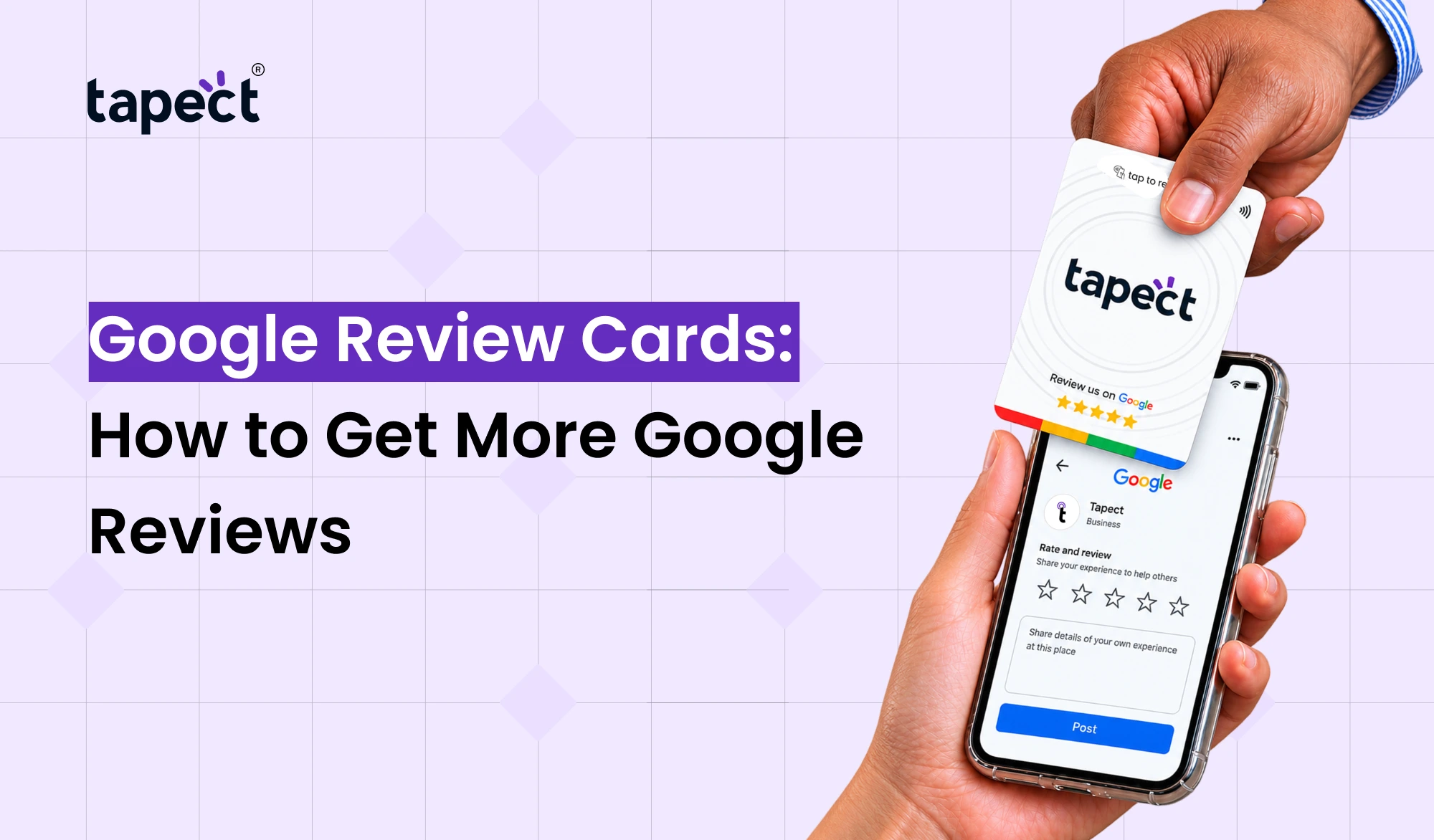
A review card provides an easy way for customers to get to your google review page. They can scan a code or tap a card with their phone and leave feedback in a few steps. No more searching for your business name and finding the correct profile.
For businesses looking for more feedback from customers, Google Review Cards can turn a simple ask into an easy action.
What Are Google Review Cards?
Google Review Cards are physical cards to help customers quickly access your Google review page. They may include a QR code or NFC technology or both.
Instead of saying “Please search for our business on Google and leave a review” you can just hand the customer a card and say “Scan or tap here to leave your feedback.”
These cards can be used by many types of businesses like:
- Restaurants and cafes
- Hotels and salons
- Retail stores
- Clinics and service providers
- Real estate businesses
- Digital agencies
- Local shops
- Gyms and fitness centers
- Repair and home services
A simple card can make the review process a whole lot easier for your customers.
Why Google Reviews Matter for Your Business
People normally look at what other customers have said when they are looking for a new business. Reviews give them a taste of what to expect.
Good reviews can benefit you:
- Build customer trust
- Improve your online reputation
- Make your business look more active
- Give new customers more confidence
- Collect useful customer feedback
- Create social proof for your services
The idea is not just to get reviews. Make it easy for genuine customers to share their experience.
That’s why Google review cards are so great for local businesses.
How Google Review Cards Help You Get More Reviews
Think the standard review process.
A customer must remember your business name, head to Google, look for your business, find the profile, open the reviews section and then write something.
That’s a lot of steps.
Google review business cards can reduce those steps. Your customer can scan a Google Review QR code and be taken straight to your review page.
If you have an NFC card, the customer can just tap their phone on the card and open the same page.
The less effort, the easier it is for customers to get it done.
Google Review Business Cards vs Traditional Cards
Traditionally, business cards have included information like:
Business Name Phone Number
Email address Website Business address
That’s nice but there’s more you can do with the card.
Google review business cards are mainly used to guide customers to leave their feedback.
You can add your own:
- Business name
- Phone number
- Email address
- Website
- Business address
That makes the card more useful after a customer interaction.
How to Create a Google Review Card
Creating a review card doesn’t have to be difficult.
Step 1: Find Your Google Review Link
First, get the direct link that goes to your Google review page.
Before you use the link, make sure that it leads to the correct business profile.
Step 2: Create Your QR Code
Use your review link as a QR Code. Here’s your Google Review QR code.
Test the code on other phones before sending the design to print.
Step 3: Choose Your Card Design
Make the design clean and simple for understanding.
Add a small message like:
Happy with our service? Leave us a review on Google!”
Step 4: Add a Clear Call to Action
Do not make your customers guess what the code does.
This is a good idea.
- Scan to Review Us
- Share Your Feedback
- Leave a Google Review
- Scan and Tell Us What You Think
Step 5: Test Everything
Kindly review the code and verify the entire process. A working card should direct the customer to the right review page with minimum fuss.
Use NFC Google Review Cards for Quick Reviews
If you want to make the experience even easier, you can use an NFC Google review card.
With NFC, customers can tap their phone on the card rather than scanning a QR code.
An NFC review card can be useful at a counter, reception desk, checkout area or service location.
So, for example, a salon may leave the card at the checkout. When a happy customer completes their appointment, they can tap the card to open the review page.
Tapect provides NFC based solutions to make sharing digital information easy and fast.
Why Use Both NFC and QR Code?
You don’t have to pick only one way.
NFC & QR code can be present on some cards. It provides customers with two easy ways to get to your review page.
E.g. For instance:
Tap your phone or scan the QR code to leave a review.
This is a good setup since customers have different habits. Some people like to tap, others are more comfortable with scanning.
You can also use both options to make it easier to use your card on different phones and in different situations.
Best Places to Use Google Review Cards
Location can make a huge difference.
Don’t put your review card in the file. Place it where your customers naturally interact with your business.
Where you can put them:
Reception Desk
The card can be kept near the reception in hotels, clinics, offices and salons.
Checkout Counter
Retail stores and restaurants may have the card near the payment counter.
Service Desk
You can give the card to the customer after a job is done in service businesses.
Packaging
Local online businesses can include a review card in customer packages.
Waiting Areas
You can build small stand with Google Review Cards that encourages customers to give feedback while they wait.
How to Ask Customers for Reviews
The way you ask is important.
Don’t ask your customers to give you a positive review. Instead ask for honest feedback.
You could say,
“We hope you enjoyed the experience. “Got a minute? Scan this card & leave me your honest feedback on Google.”
That sounds natural and gives the customer a clear next step.
Your team can also incorporate the request into the usual customer service process.
For instance:
- Finish the service.
- Ask the customer if everything was satisfactory.
- Give them the review card.
- Explain how to scan or tap it.
- Let them decide whether they want to leave feedback.
Tips to Get Better Results From Review Cards
It’s not simply printing a card. Use it to your advantage.
Keep the Message Short
Customers don’t want to read a long message before they leave a review.
Make the QR Code Easy to Scan
Make sure the code is not too small. It’s just something that the average Joe can’t pay for.
Use a Strong Call to Action
Give your customers directions.
Make the Card Look Professional
Your card represents your business. Use your brand logo, fonts and style.
Place It at the Right Time
Encourage them to leave a review following a positive interaction, rather than randomly handing out the card.
Test the Link Regularly
If the review link is broken customers may not be able to complete the process.
How Tapect Can Help With Review Collection
Tapect enables businesses to easily bridge physical cards with digital experiences.
Customers tap their phone against a Tapect NFC review card and are sent to your review destination of choice. Another method to link customers to your review page is by having a QR code.
Tapect cards can be a great tool for businesses who want to:
- Make asking for reviews easier
- Facilitate customer
- NFC technology for fast interactions
- Mix NFC and QR code access
- Craft a contemporary customer experience
The goal is simple: to make it easier for a customer who is already happy with your service to take action.
Common Mistakes to Avoid
Avoid these common mistakes before using Google Review Cards.
Sending Customers to the Wrong Page
Always double-check your link before printing hundreds of cards.
Making the QR Code Too Small
Small QR codes can be hard to scan.
Adding Too Much Text
Restrict the card to one action.
Asking for Fake or Misleading Reviews
Reviews should only come from real customers. Don’t worry about controlling what customers say, but make the review process simple.
Forgetting Mobile Testing
Most of your customers will be using their phones so test your card on different mobile devices.
FAQs
1. What is Google Review Cards?
Google Review Cards are printed cards with a QR code, NFC, or both, that provide an easy way for customers to get to a business’s Google review page.
2. What are Google review business cards?
Google Review Cards have a qr code or nfc capability. The customer scans or taps the card and is led to the business review page.
3. What is an NFC Google review card?
NFC Google Review Card An NFC Google review card uses NFC technology to open a review link when a customer taps their NFC-enabled phone on the card.
4. Can I use the Google Review QR code on a card?
Yes. You can print a Google Review QR code on a physical card, stand, poster, receipt or any other customer facing material.
5. How does the NFC review card compare to a QR code?
Either option can be useful. NFC review cards can be tapped by customers, but a QR code will need to be scanned. Using both gives customers more choice.
6. Where do I put Google Review Cards?
Place them where customers are likely to finish an interaction, for instance at checkout counters, reception desks, service desks or waiting areas.
7. Can I use Tapect cards for Google reviews?
Yes, Tapect’s NFC card solutions can connect customers to a digital destination such as a review page, making the process quick and simple.
Conclusion
More Google reviews don’t necessarily mean a complicated strategy. Sometimes the biggest improvement is just making it simpler.
Google Review Cards provide an easy way for customers to access your review page. They can scan a QR code and provide feedback. They can even get there even faster by tapping their phone with an NFC card.
The best thing is to have a clear message, test your link, put the card where customers can see it and ask for honest feedback at the right time.
If you want to give your customers a modern way to share reviews, try Tapect NFC review cards with QR code support and turn everyday customer interactions into opportunities for feedback .
Ready to Get More Google Reviews?
Tapect makes it easy for your customers to review your business. Discover Tapect’s intelligent NFC and QR solutions and build a more convenient way for customers to connect, review and interact with your business.