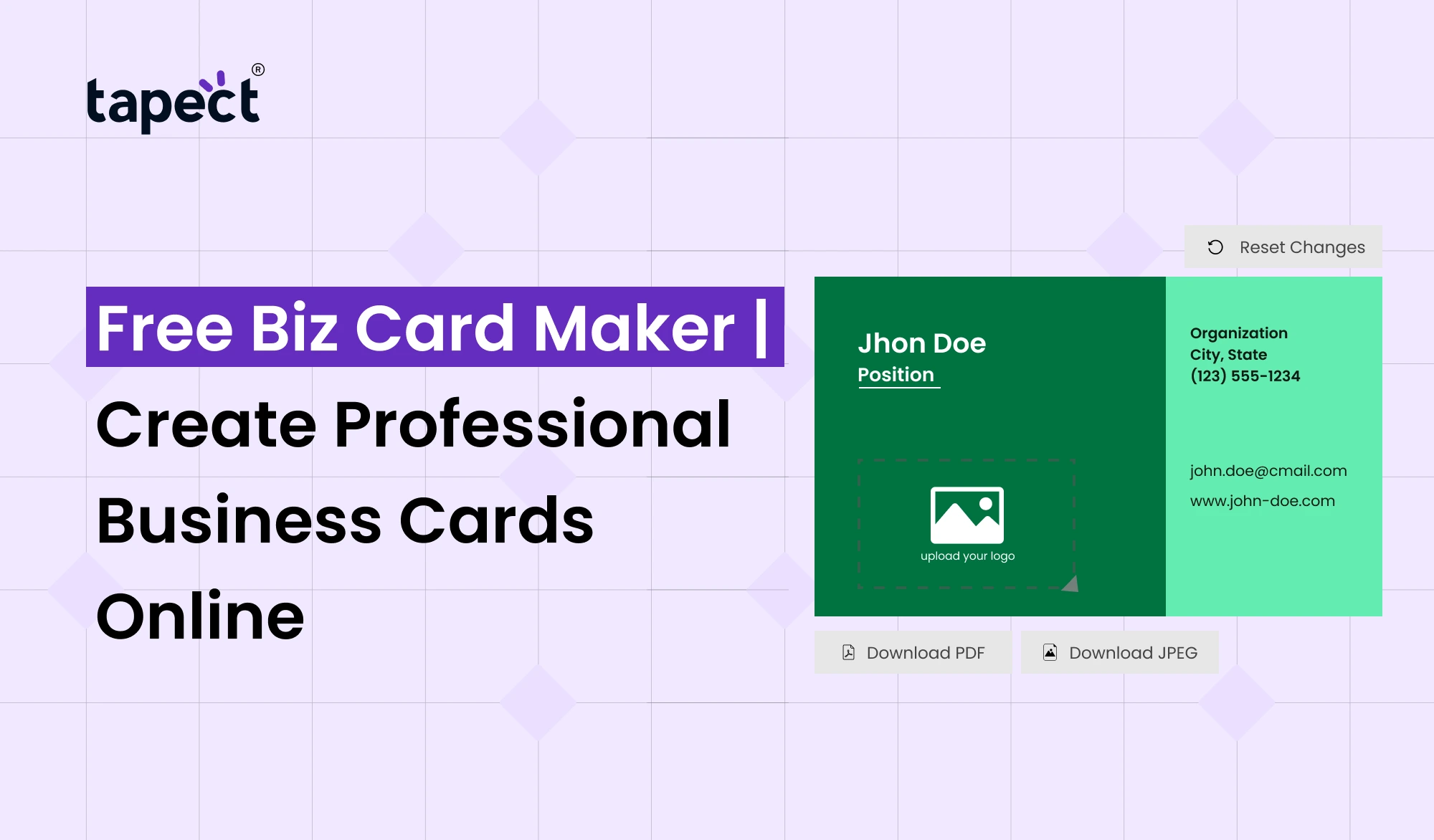
A business card is usually the first thing people remember about you following a meet. A professional, tidy card can help you make a great impression and keep in touch with potential consumers. You don’t need pricey software or design expertise to make one.
With the Free Biz Card Maker, you can make professional card in a few simple steps. Pick a template, add your contact details, adjust the colours and make the design reflect your brand.
Now, it’s easier than ever for professionals, freelancers, small enterprises and startups to make a business card online. Tapect makes it easy to build a modern business identity that can be used both online and offline.
What Is a Free Biz Card Maker?
A Free Biz Card Maker is an online tool for you to make your business cards without having any sophisticated design skills. You can choose a pre-made design and customise it, instead of designing from scratch.
Some years ago I was asked to give a talk at the TED conference.
- Your full name
- Job title
- Company name
- Phone number
- Email address
- Website
- Social media links
- Company logo
- Business address
The good news is that a good online business card maker makes it simple. You may update your card, see how it looks, and get ready to share or print it.
Why Use a Free Biz Card Maker?
It can take time to learn traditional design applications. Online tools make it much easier for newcomers.
A Free Biz Card Maker helps you create a card quickly without having to pay for expensive design packages.
It can be helpful when you:
- Start a new business
- Change your job
- Launch a personal brand
- Attend networking events
- Need cards for your sales team
- Want a fresh business card design
You can also make updates whenever your contact information changes.
Create Professional Cards Without Design Skills
You don’t have to be a professional designer to create a good business card. If you organise the information correctly, a simple Free Business Card Design can seem professional.
I’ll start with a blank template. Choose a readable typeface and maintain your colours in line with your brand. Avoid filling all the white space with type or pictures.
Your card should be straightforward to use. The most important information should be easy to find. It should be something that someone can glance at for a few seconds and get a sense of who you are and what you do.
How to Create a Business Card Online
It normally doesn’t take much time to make your card. Here are some simple steps to take with a Free Biz Card Maker.
1. Choose a Template
Choose a design that is appropriate to your industry. A trendy style might be suitable for a creative firm, while a plain layout might work for a professional service.
2. Add Your Details
Please fill in your name, position, company name, phone number, email and website.
3. Add Your Logo
Your logo is a reminder of your brand. Make it clean and make sure it doesn’t overshadow your contact info.
4. Select Colors and Fonts
Choose colours that suit with your brand. Select fonts that are easy to read on displays and cards.
5. Add a QR Code
A QR code is a way of linking your printed card to your website, contact page, or digital presence. This makes your card more effective at networking gatherings.
6. Review Before Sharing
Before you’re done with your design, check every phone number, email address, website link and spelling.
Design Business Cards Online With Tapect
Tapect helps Businesses and Professionals to build a new approach to distribute contact information. With a good Business Card Creator Online, you are able to create a profile that is more than just a printed card.
With a Tapect company profile, customers can quickly access your contact details and online information. You can also connect your card to modern sharing techniques such as QR codes and NFC.
This is great when you meet someone at an event and want to share your details without having to type it all out.
Features to Look for in a Business Card Maker
Not all tools have all the functionality. Choose an Online Business Card Maker with features that will make your card easy to produce and share.
Features that are useful:
- Ready-to-use templates
- Easy text editing
- Logo upload
- QR code support
- Digital sharing options
- Mobile-friendly design
- Download options
- Easy contact updates
A Free Biz Card Maker is most helpful when it gives you control without making the design process complex.
Make Your Business Card Match Your Brand
Your business card should be an extension of your brand. Use your company colours, logo and style on your website, social media and your card.
A good Free Business Card Design doesn’t have to be difficult. Often, a clean layout is more effective than a card that has too many aspects.
Think about what you want people to do when they see your card. If you want calls, make sure your phone number is easy to discover. Want people to visit your website? Show off your website or QR code.
Digital Business Cards Are Changing Networking
Printed cards still have their place, but exchanging digitally is becoming increasingly common. With a Digital Business Card Maker you will be able to build a profile that people can reach through their phones.
A digital profile you can give them instead of just a paper. This may include contact information, website links, social accounts and other valuable information.
This modern take is combined with simple contact sharing, making it easier to maintain your professional information on hand.
Free Biz Card Maker vs Traditional Design
Hiring a designer can be helpful for more sophisticated branding projects. But for a simple business card an internet tool can save you time and money:
Create your own design with a Free Biz Card Maker and modify it whenever you want.
With traditional design you might have to call a designer every time you want to modify a phone number or website. With online editing you have more control over small modifications.
This is a great flexibility for startups and small enterprises.
Tips for a Better Business Card
A professional card ought to be easy to read. Keep your design short and don’t add any superfluous content.
A few easy tips include:
- Keep your name easy to notice.
- Use one or two readable fonts.
- Leave enough empty space.
- Use your brand colors.
- Add only useful contact details.
- Make QR codes easy to scan.
- Check links before publishing.
- Test the design on a phone and computer.
Always remember the individual who will be receiving the card when you Design Business Cards Online. Facilitate it for them to be fast and easy.
Use Your Card to Generate More Leads
Your card may do more than just exchange contact information. It can also help people move forward.
Imagine your QR code taking visitors to a landing page where they can obtain a quote. You can also link to a portfolio, appointment page, product page or contact form.
This makes the Free Biz Card Maker more than just a networking tool. You can incorporate it in your lead creation plan.
A digital profile can also make it easy for prospects to locate all your critical information in one spot.
Common Mistakes to Avoid
Even when using a Business Card Creator Online, there are a few minor blunders that can make your card look less professional.
Don’t use too many colours, small fonts, low-quality logos or large chunks of text. Please do not include obsolete contact details.
Also, don’t use links that don’t work. If your card has a QR code, scan it before handing it to a consumer.
The idea is simple: provide people the proper information, and make it easy for them to contact you.
FAQs
Is Free Biz Card Maker?
There are several online tools with free functionality to Free Biz Card Maker. Check out the alternatives available on paid plans as some sophisticated features may need a subscription plan.
you can make a business card even if you don’t know design?
Yes. Free Biz Card Maker offers templates and easy editing tools for beginners to produce professional-looking cards.
Can I put a QR code on my business card?
Yes. A QR code can be a useful tool for potential customers to find your website, contact details or digital profile.
Online Business Card Maker? Better Than Design Software?
With an Online Business Card Maker, a simple business card may be the quicker and easiest way to go. For sophisticated branding jobs, professional design software could be a better choice.
you can build a digital business card using Tapect?
Yes, Tapect is a modern approach to distribute your professional contact information digitally. It might be useful for business contacts, networking and sales.
Can I update my card information later?
With a digital profile, you can change your contact information without having to redesign and reprint.
What information should I include on my business card?
Add your name, job title, company name, phone number, email, website, and any other key links. QR code can also link individuals to your digital profile.
Create Your Professional Business Card Today
You don’t have to spend hours mastering difficult design software to develop a professional business card. With a Free Biz Card Maker, you have a simple starting point and the ability to construct a card that fits your firm.
Do you want a printed card, a digital profile or both? The correct Digital Business Card Maker can help you communicate your information faster.
Tapect takes your business networking to the next level with current digital sharing of contacts. Build your professional profile. Network with new individuals. Make each business connection count.
Ready to make a business card that’s smarter? Try Tapect today and start sharing your professional details with ease.